
Appearance
AI questions & seat alerts
AI questions
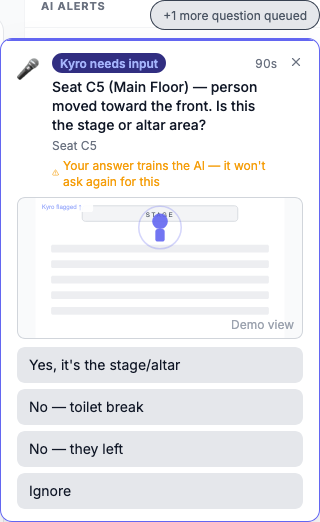
Sometimes the AI isn't sure what it's seeing, for example when someone walks to the front, a seat has been empty for a while, or a group moves forward together. Instead of guessing, it asks you.
Answering
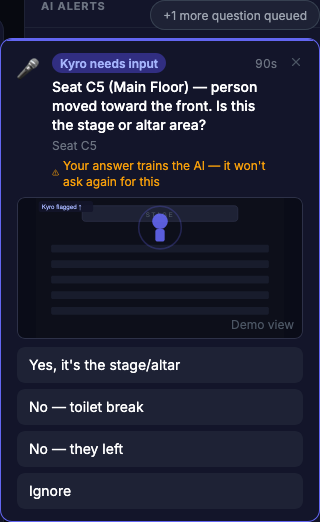
- A Kyro needs input card appears at the bottom right of any page, with the question, the seat and a picture.
- Tap the answer that matches what you see, for example:
- Yes, it's the stage/altar
- No — toilet break
- Yes — gave their life to Christ ✝
- Yes — count looks right
- That's it. Your answer trains the AI, so it won't ask the same thing again.
You have 90 seconds to answer. If more are waiting, the card says +1 more question queued.
Missed one?
If time runs out or you tap × (Skip for now), the question goes into the unanswered questions panel at the bottom right. Tap its header to open it, tap a question, and answer. You can drag the panel out of the way. Unanswered questions disappear after 24 hours.
The sidebar shows AI has N questions → while any are waiting.
Who gets which questions
- Admins: questions about the room ("Is this the stage?", "Does this count look right?")
- Operators and admins: questions about people ("Did they leave or take a break?", "Was that an altar call?")
- Viewers: no questions
Seat alerts
When the cameras see a seat become free, a Seat available card appears at the bottom left with a photo of the seat. Use it to show an arriving guest to a free seat.
- Tap the card to see the photo larger.
- Tap × once the seat is filled.
If you've turned on notifications, free seats are also sent to your phone, at most once per seat every 5 minutes.
Needs the camera system
Seat alerts and real AI questions come from the cameras. In Demo mode, AI questions are simulated so you can practise.